Our Services
Apply for our services
Process
-
1
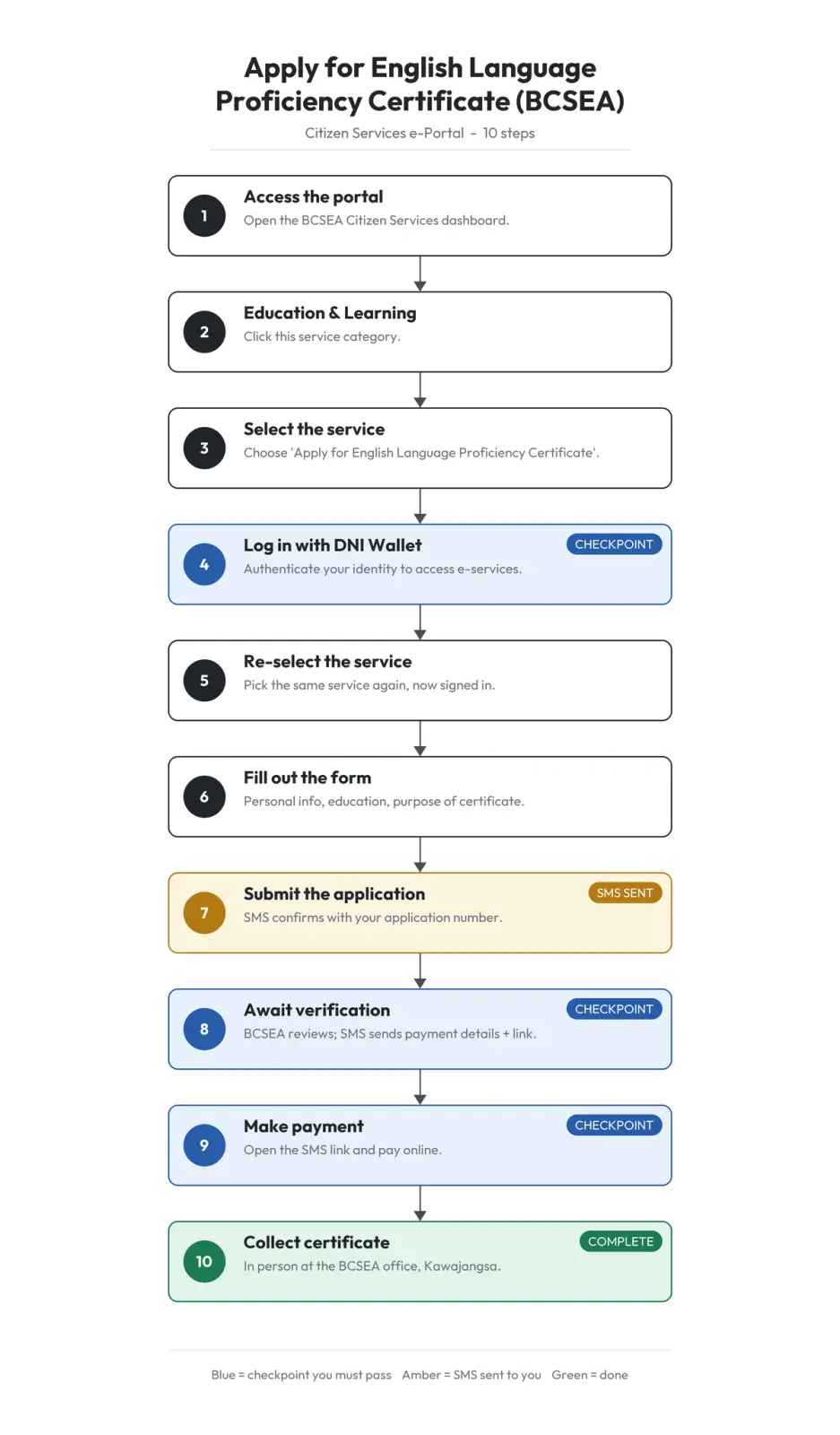
Step 1: Access the Portal
->https://www.citizenservices.gov.bt/Bcsea/dashboard
-
2
Step 2: Navigate to Services
->Click on “Education & Learning” from the available service categories.
-
3
Step 3: Select Initial Service
->Choose “Apply for English Language Proficiency Certificate” from the listed options.
-
4
Step 4: Authenticate via DNI Wallet
->Use your DNI Wallet credentials to log in. ->(This will authenticate your identity and allow access to e-services.)
-
5
Step 5: Re-select Service After Login
->Once logged in, you will again see the list of available services. ->Select again “Apply for English Language Proficiency Certificate”.
-
6
Step 6: Fill Out the Application Form
->Complete the online form with all required details (personal information, educational background, purpose of certificate, etc.).
-
7
Step 7: Submit Application
->Submit the filled form. ->Confirmation: You will receive an SMS containing your application number. ✅ This confirms your application has been submitted for verification.
-
8
Step 8: Await Verification
->BCSEA verifier reviews your application. ->Once verified, you will receive another SMS with: ->Payment details ->Payment link
-
9
Step 9: Make Payment
->Follow the SMS link and complete the payment online.
-
10
Step 10: Collect Certificate
->Visit the BCSEA office at Kawajangsa in person. ->Present relevant identification/payment proof. ->Receive your English Language Proficiency Certificate.